
Intra Point of Sale (Intra-POS)
A modern solution, largely associated with small and medium businesses, Intra-POS is raging across the industry as a value-for-money POS software.
IntraPOS Point of Sale works both offline & online with synching enabled by default. You can also set up dimensions for each retail store outlet that you own. In fact, you can compare the P&L statement of each outlet as well!
POS Tool
Retailers big and small are retiring their traditional cash registers in favor of state-of-the-art POS systems that can help them achieve their goals and objectives efficiently. While the latest and greatest POS systems are leaps and bounds beyond their antiquated counterparts, IT problems can still occur. Following are some of the problems faced by most business owners:
- Compatibility (Phone/Tablet)
- Manual Data Entry
- Data Redundancy
- Scaling issues
- Lack of dimensional accounting
- Security
Intra-POS's - 5 Step Point Of Sale
Step 1: Setup Your Inventory
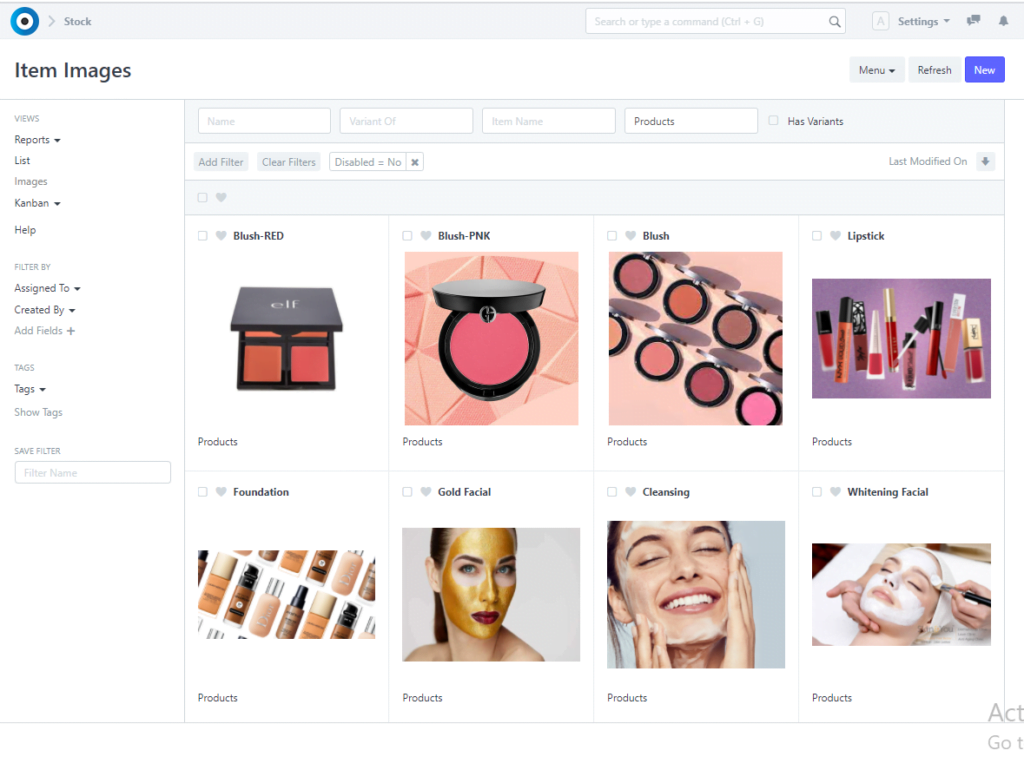
IntraPOS’s Stock module lets you integrate your inventory and also does automatic posting in Stock Ledger. You must ensure that the perpetual inventory setting has been enabled in the Stock Settings. Learn the difference between the perpetual inventory system and the periodic inventory system here. The figure shows the Image view of Items.

Step 2: Add Item Prices
Setup the prices of your products with Item Price. You may have one or more Price Lists depending on multi-currency, branch-wise product offers, and so on. The figure shows Item Prices of various products in different currencies.
Step 3: Configure POS Profile
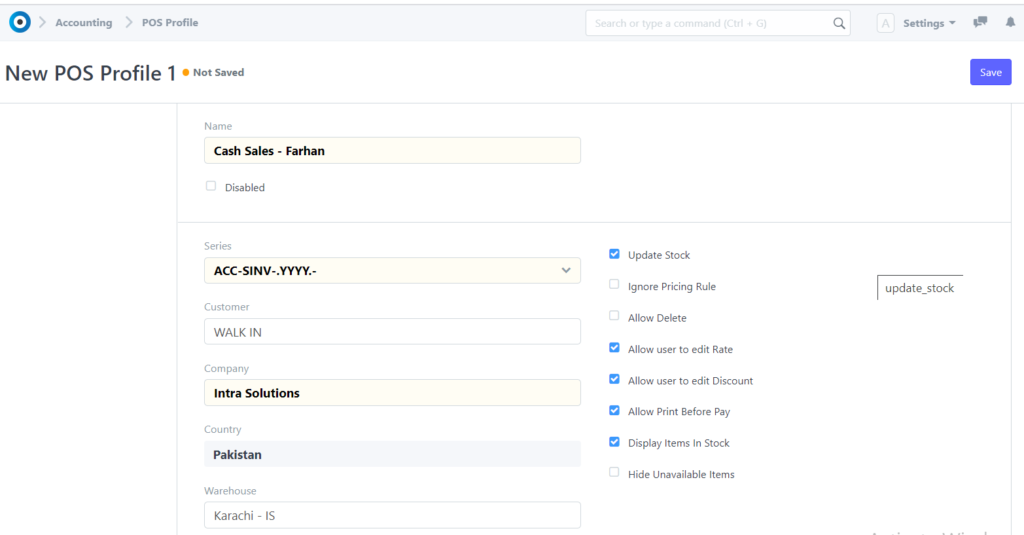
Now, you need to create a Point of Sale Profile. You can set up multiple profiles as per each retail outlet. One POS Profile can contain one or more users. Cashiers can also create Cash Closing Vouchers. The figure shows a POS Profile configured for one branch of the company, “Cash Sales-Farhan”
Step 4: Open POS
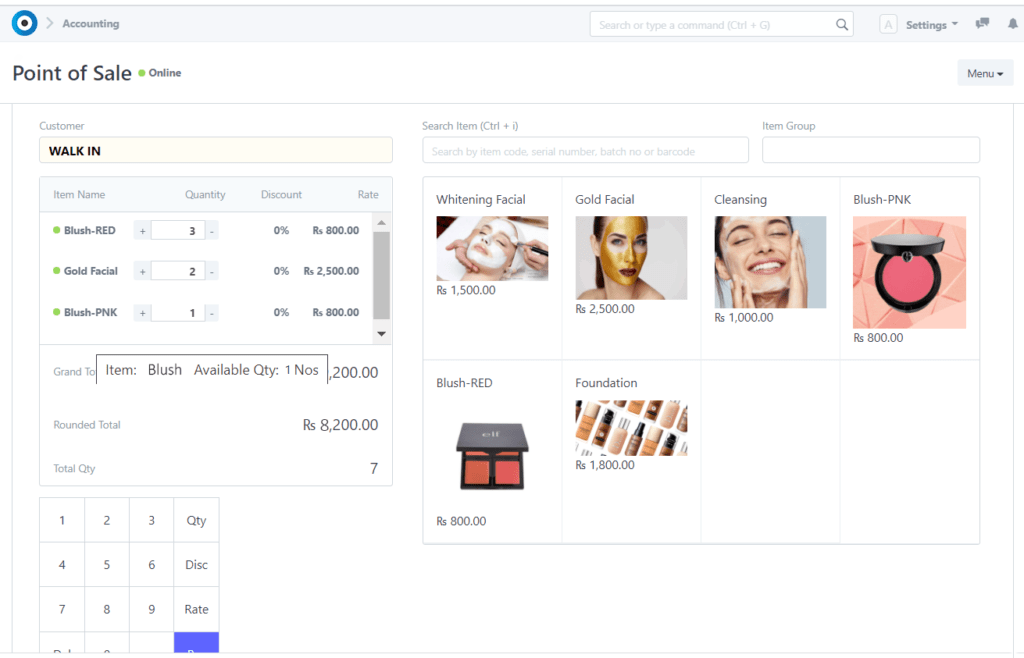
In the awesome bar, type in “POS” and you’ll get the suggestion for “Open POS”. Once you select it, the POS screen is opened. You can select the Customer (you can have one customer configured as “Cash Sales/Branch Name”) as we have in the above example, figure shows the POS screen with the customer as “ACC-SINV-2021-00006” — a random naming series of Customer master.
You can add the items that the customer wishes to buy. There is a provision to navigate through the product list with respect to Item Code, Item Name, Serial Number of the Item, or the Barcode. You can also choose to scan item barcodes or serial numbers with a scanner.
Next, click on the “Pay” button to proceed with the transaction and complete the payment for it via cash or card (as per the setup of payment modes in POS Profile).
Step 5: Invoice Your Customer
You can select the default print format template for the POS Sales Invoice that is generated by the system in POS Profile. The figure shows a POS invoice of the transaction from Step(4)

Distribution Solutions across Multiple Industries
Offline POS
You can use Point of Sale in offline mode. Once the internet connection is available again, the system will synchronize the invoices.
Configurable Print Formats
The configurable print formats let you personalize your invoices as per your brand. Classy or professional, pick your take and create print formats easily with our drag & drop Print Format Builder.
Multi-Store Management
Register new branches of your company with a few clicks and start transacting right away! You can configure dimensions based on each branch or product line & analyze the expenses, stock movements, profits, and losses to derive the overall profitability of your supermarket business. You can analyze store-wise P/L and income statements easily with IntraPOS’s accounting dimensions.
Promotional Schemes
Promotional schemes help businesses become successful as lower prices for a limited period of time to attract more customers. In IntraPOS, a Promotional Scheme is an easier way to manage pricing on multiple Items/Groups based on different parties and conditions. A Promotional scheme is linked to a pricing rule, against each slab system that will generate the pricing rule.